
0.9.6: Switch maps and bring sound into reveals
Quick map swaps, audio and video reveals, keyboard shortcuts, and a reorganized combat screen arrived in dm-screen.com 0.9.6.
Release 0.9.6 makes it easier to move between scenes. Map switching gains a quick-swap button, reveals appear more smoothly for players, and you can rotate the player screen to suit the display at your table.
Reveal more than an image
Reveals now support video and audio. Prepare a clip or a sound for the moment you need it, then show it through the game screen. Autoplay guidance helps you work through the browser permissions needed for playback.
Keep the encounter in view
The redesigned combat screen separates off-screen characters from those in the encounter. You can drag characters into battle and edit the active character directly from combat.
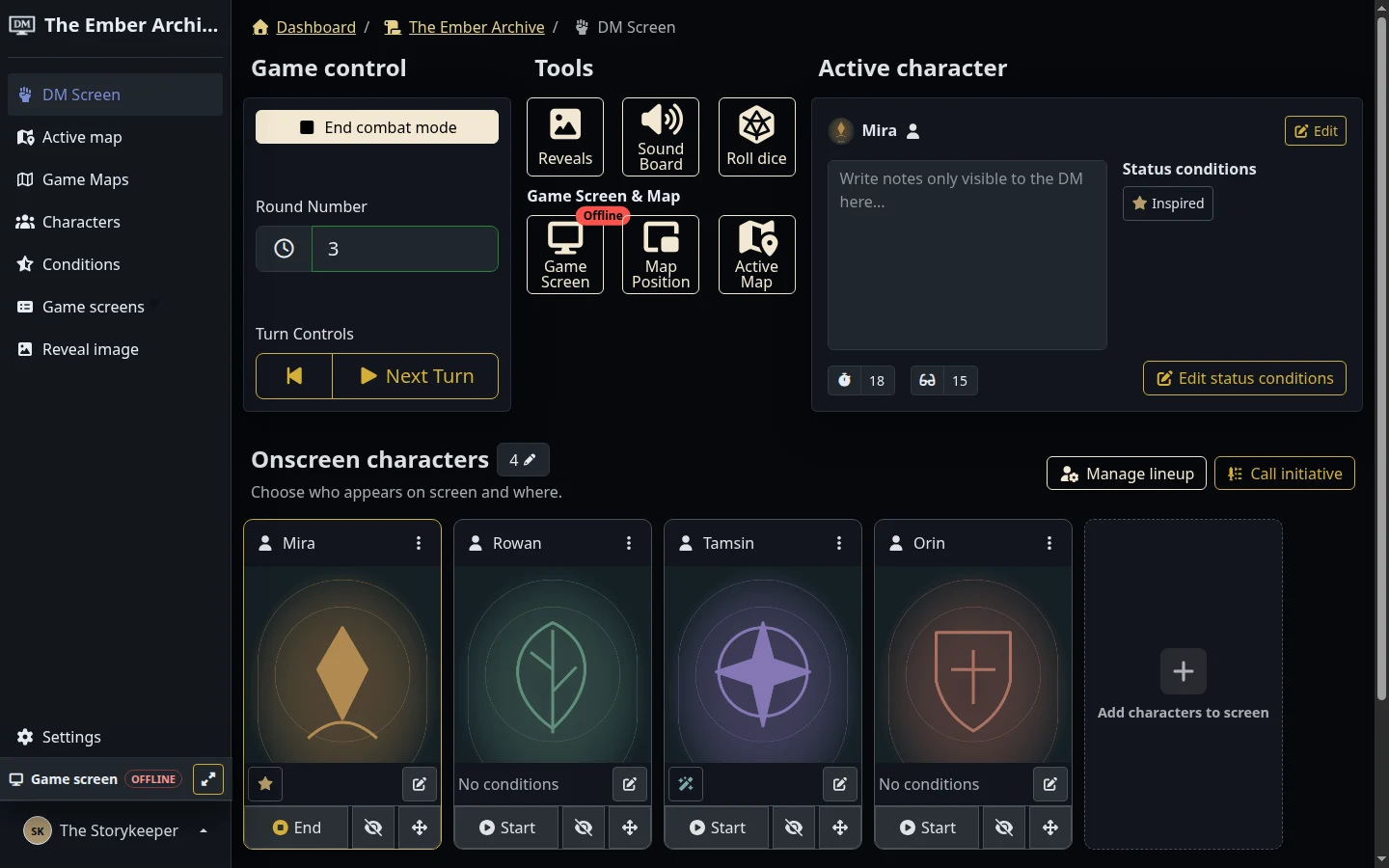
Character search is improved, and status-condition management moves into the character edit screen. Common actions also gain keyboard shortcuts, displayed beside their buttons so you can learn them as you play.
Explore reveals and sound for a look at the tools available today.