
0.30.0: More room for your map
Compact mobile map controls leave more room to play, and the new Adventurer rank brings players their own dice styles, sounds and automations.
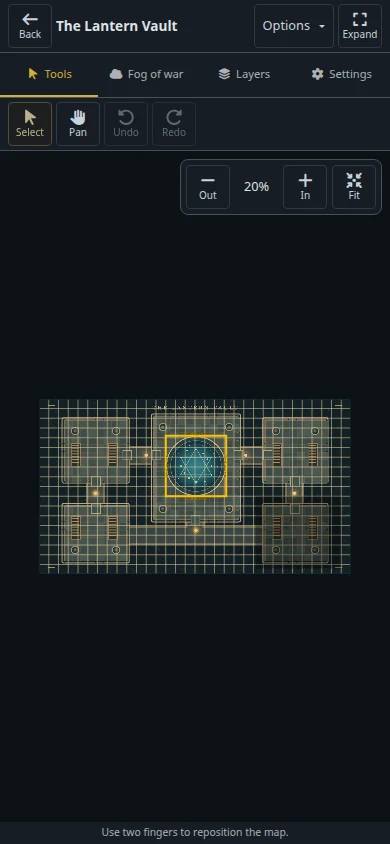
Your map has more room on a phone in dm-screen.com 0.30.0. Compact toolbars and an Options menu keep settings within reach, while tools collapse during token and effect placement so you can see where you’re putting them.
Keep your destination in sight
Selected-layer controls now sit at the bottom of the mobile editor. While you drag, they fade and blur so they don’t cover your destination or catch the pointer. The character move panel uses two lines and keeps the movement distance visible, including short moves.
Small captions identify map buttons, grid status sits beside its visibility toggle, and a two-finger navigation hint appears between placements. Leaving the editor restores page scrolling. You can also save shapes with a 0px border and reopen them without the border returning.
See the maps and fog guide for the map tools you can use at your table.
A rank for players
Adventurer adds 10 automations, 8 soundboard slots, full dice customization and a teal compass badge. It keeps Commoner’s campaign allowances, making it a choice for players who want personal extras without extra campaign capacity. Adventurer appears in the subscription choices even before checkout is configured; purchasing depends on the available checkout options.
The free rank is now called Commoner. Hero includes 10 automations, and every paid rank includes custom dice styles and rolling controls. The new Pricing page compares Commoner, Adventurer, Hero and Legend with monthly and yearly costs. Ascendant sits in a separate Extra support section in the app.
Less fiddling during play
On mobile player screens, compact headings and paired actions leave more space for character details beside the portrait. The full avatar page shows the character’s name and an Avatars heading.
When editing an automation condition, Apply condition and Cancel stay visible as you scroll. Cancelling a draft asks for confirmation, and deleting an automation immediately updates your usage and available slots while keeping the list visible.
This release also updates Rails and JavaScript dependencies to address security vulnerabilities.
Open your campaigns to prepare your next session.