
0.28.0: Move your characters and their effects together
Place character tokens on your map, move their linked area effects with them, and let players control their claimed characters.
Your character moves across the room, and their protective aura comes with them. In dm-screen.com 0.28.0, you can place character portraits on the map and attach named area effects that follow each token. Players can also move their claimed characters on the shared active map.
Put your characters on the grid
Enable and align the map grid, then open Shapes and choose Add character. Select a character and place their circular portrait on a grid square. The size slider runs from 5 to 50 ft in 5 ft steps, so a larger creature can take up more room.
DMs can place any campaign character. Players can place characters they have claimed and manage those tokens even when the DM placed them first. Player editing is available on the visible active map; fog and map management remain under DM control. Players see opaque fog over covered areas.
Keep an aura with its character
A token can have several area effects, each with its own name and styling. Add a protective radius or another effect from the character’s editor. Linked effects stay grouped beneath their character in the Layers list and move with the token. You can adjust effect opacity while the portrait stays fully opaque.
Choose Move and select a destination to preview the distance before confirming. Straight and diagonal grid steps both count as 5 ft. The destination guide shows the distance, and the moving token counts it up as it travels. The final distance stays visible briefly after arrival. Cancel leaves the token where it was, and Undo move lets you reverse a completed move.
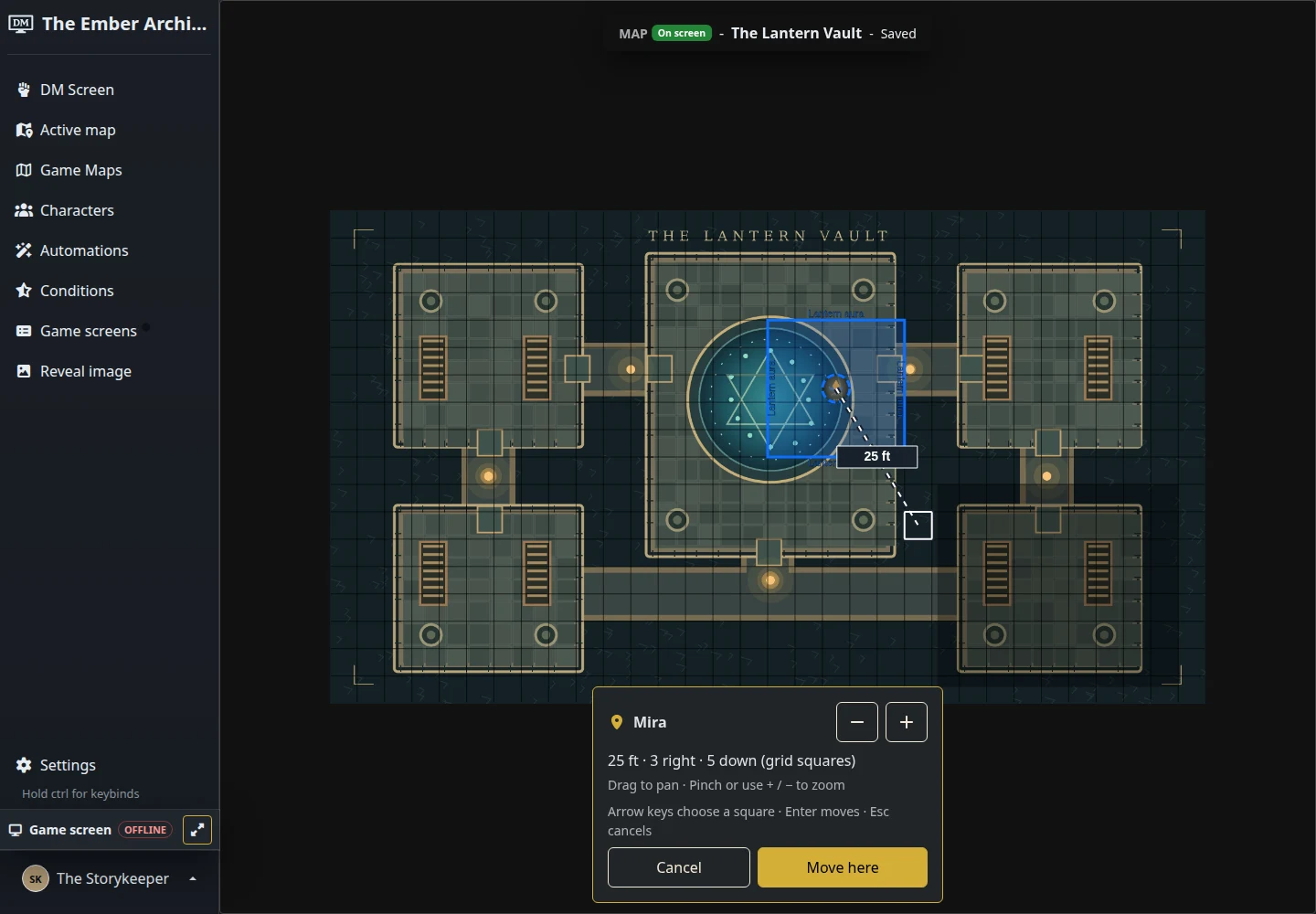
Resizing a character also resizes and recentres its linked effects. To edit one overlapping effect, choose it from Layers.
Make room for phone controls
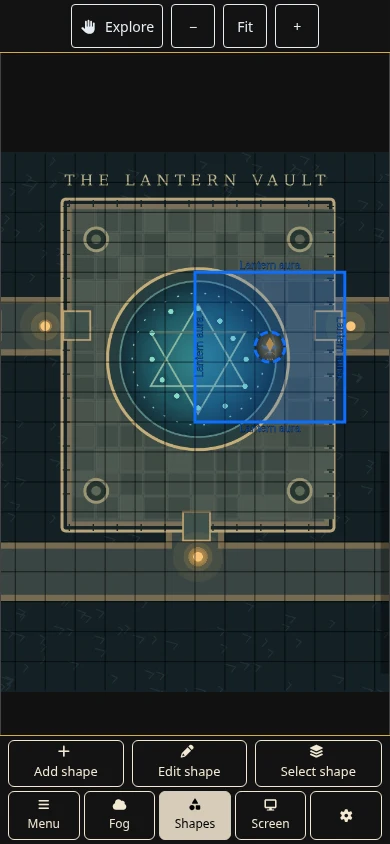
The mobile editor keeps zoom and Explore controls in a fixed bar. Shape actions use compact popovers, and editing panels open at full height with close buttons. Players keep a Shapes tab, while character shortcuts offer Place, Edit or Move as appropriate.
DMs can erase rectangular areas of fog or clear it from a phone. Covering the whole map now asks for confirmation. Map movement eases into and out of travel, fog changes fade, and reduced-motion preferences are respected.
A few fixes for the rest of the session
Removing a character during combat preserves the order of everyone still on screen. Custom SVG condition icons keep their artwork and spacing during live updates. Condition imports show progress, check capacity before adding new conditions, and can finish longer imports without a fixed time cutoff. A failed import still leaves your conditions unchanged.
Open your campaigns, choose a map and place your party. The maps and fog guide covers preparing the shared scene.