
0.25.0: Prepare your campaign with a connected assistant
Connect an assistant to prepare characters, conditions, portraits, reveals, and maps, with the same permissions you have in dm-screen.com.
Give your assistant a way to put session prep into your campaign. In dm-screen.com 0.25.0, you can connect a personal AI assistant to look up and update campaigns, create characters and conditions, and add portraits, reveals, and maps. It works within the same permissions you have in the app.
Connect once, then prepare your next session
Open Settings, then Assistant. Copy the MCP server URL into an assistant that supports connecting to an MCP server with sign-in. Follow the sign-in flow and choose Authorize. Connection options depend on your assistant.
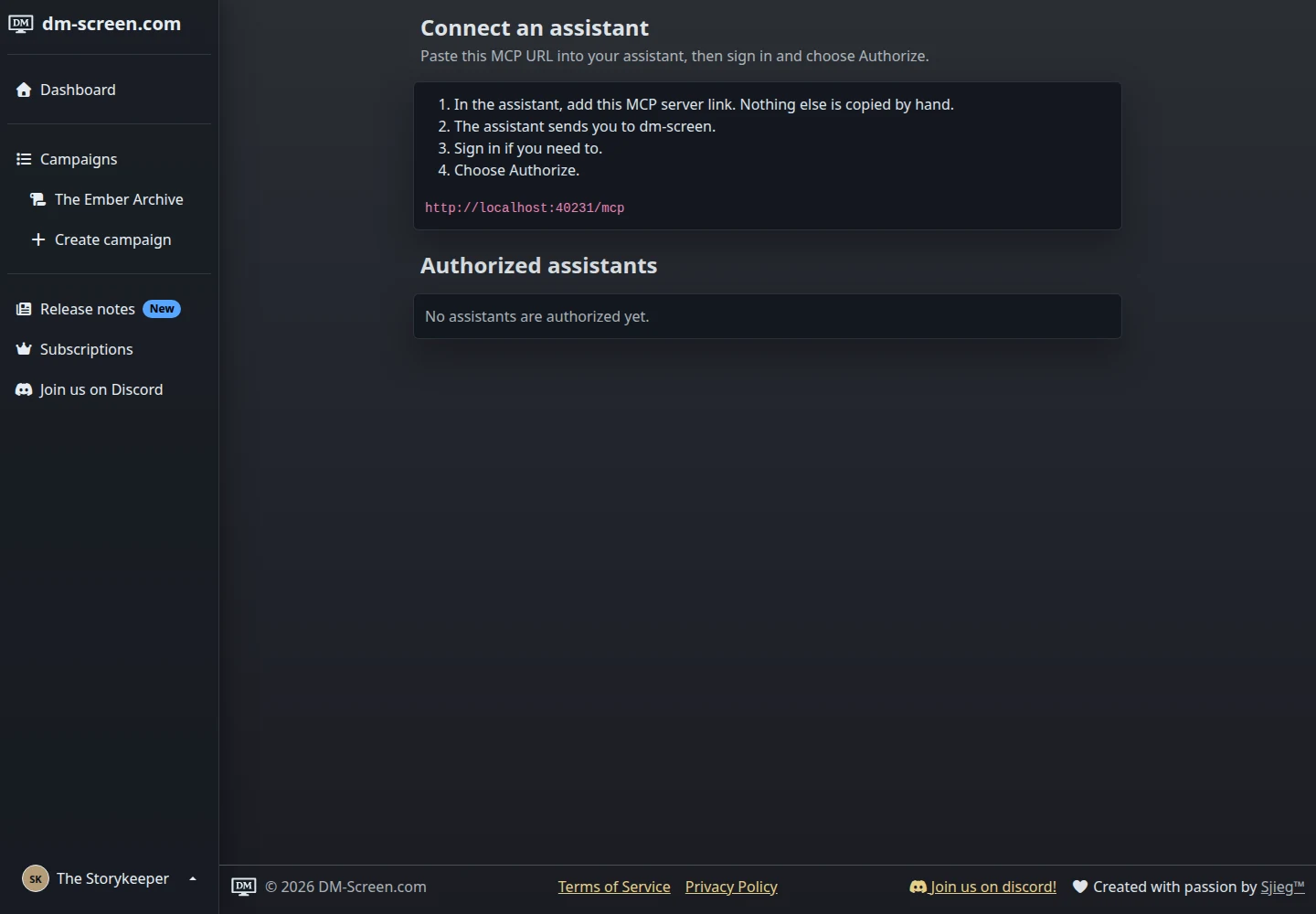
Once connected, try asking it to look up your campaign’s existing characters and conditions before adding anything. For example: “In The Ember Archive, check whether Tamsin has Concentrating. If the condition exists, apply it to her.” You can also ask it to create characters, update their details, and upload files for portraits or reveals.
For campaign owners, map preparation includes adding maps, updating their settings, and starting grid detection. New maps begin fully covered by fog and stay off the table. Adding a reveal also leaves it in the library without showing it to players.
The connection follows your existing campaign access and editing permissions. You can review authorized assistants and choose Revoke on the same settings page whenever you want to end a connection.
Find your campaign by its party
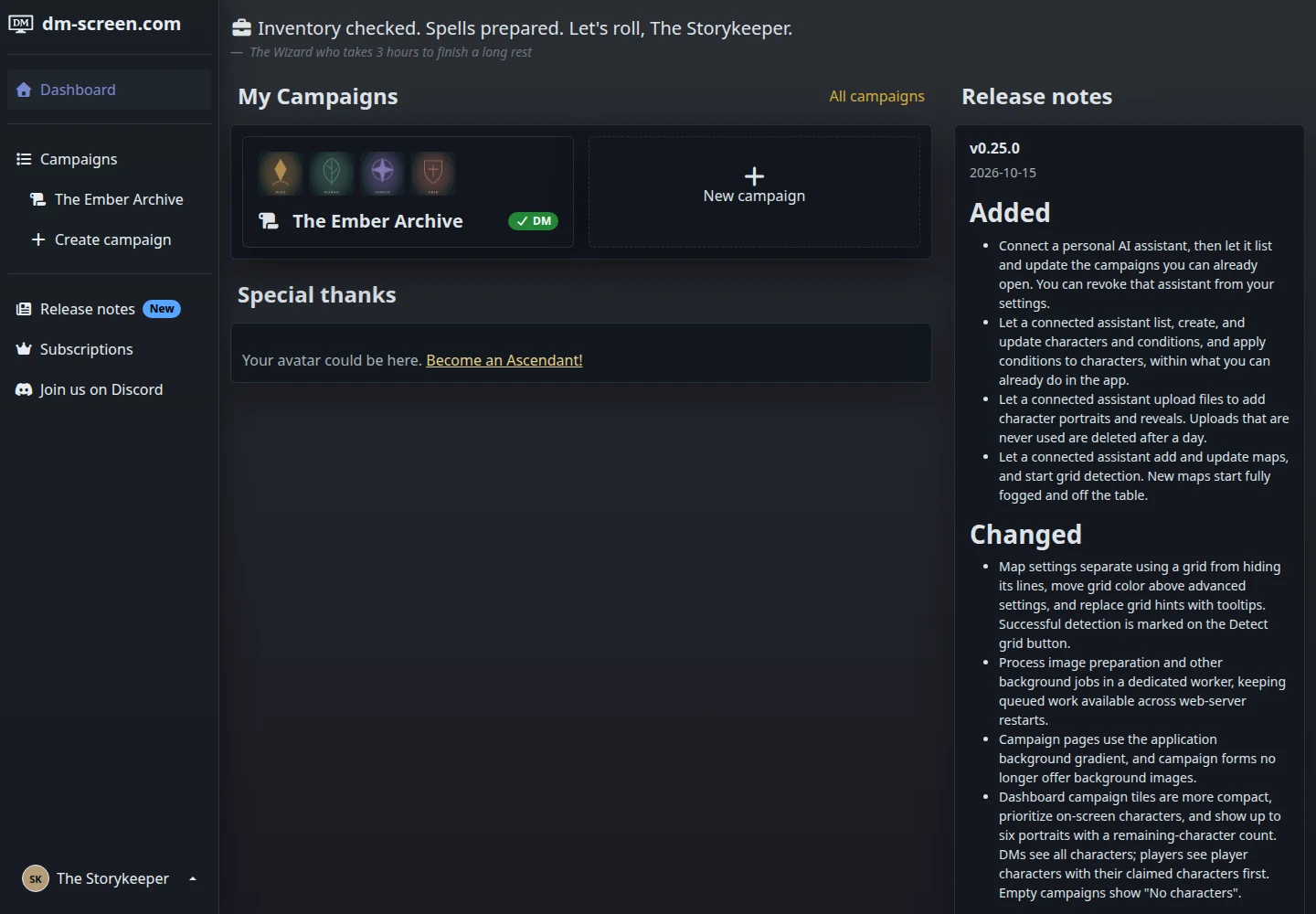
Dashboard campaign tiles now show character portraits beside the campaign name. On-screen characters come first for DMs. Players see player characters, with their claimed characters first. Larger casts get a remaining-character count.
Campaign pages now use the shared application background. Campaign background uploads have been retired, and existing uploaded campaign backgrounds are removed with this update.
Keep the grid without drawing extra lines
In Map settings, Use grid enables the grid features. Hide grid hides the lines while keeping grid measurements for area effects. This is useful when your uploaded map already has a grid painted into the artwork. Grid color sits above Advanced settings, and successful detection is marked on the Detect grid button.
Overflowing character rosters also show scroll carets and a Shift-scroll hint. Player-screen portraits upgrade to their original resolution after loading, including when an automated avatar change occurs.
Open Assistant access to connect an assistant for your next session. For the map workflow, see the maps and fog guide.