
0.23.0: Line up your maps with an adjustable grid
Add a grid, detect one in an uploaded map, and keep grid lines behind fog of war in dm-screen.com 0.23.0.
Add a square grid to your map and line it up with the rooms you’ve prepared. In 0.23.0, you can adjust the grid yourself or ask dm-screen.com to detect the one already drawn in an uploaded image. Grid lines appear only in revealed areas, so they stay behind your fog of war.
Line up the grid with your map
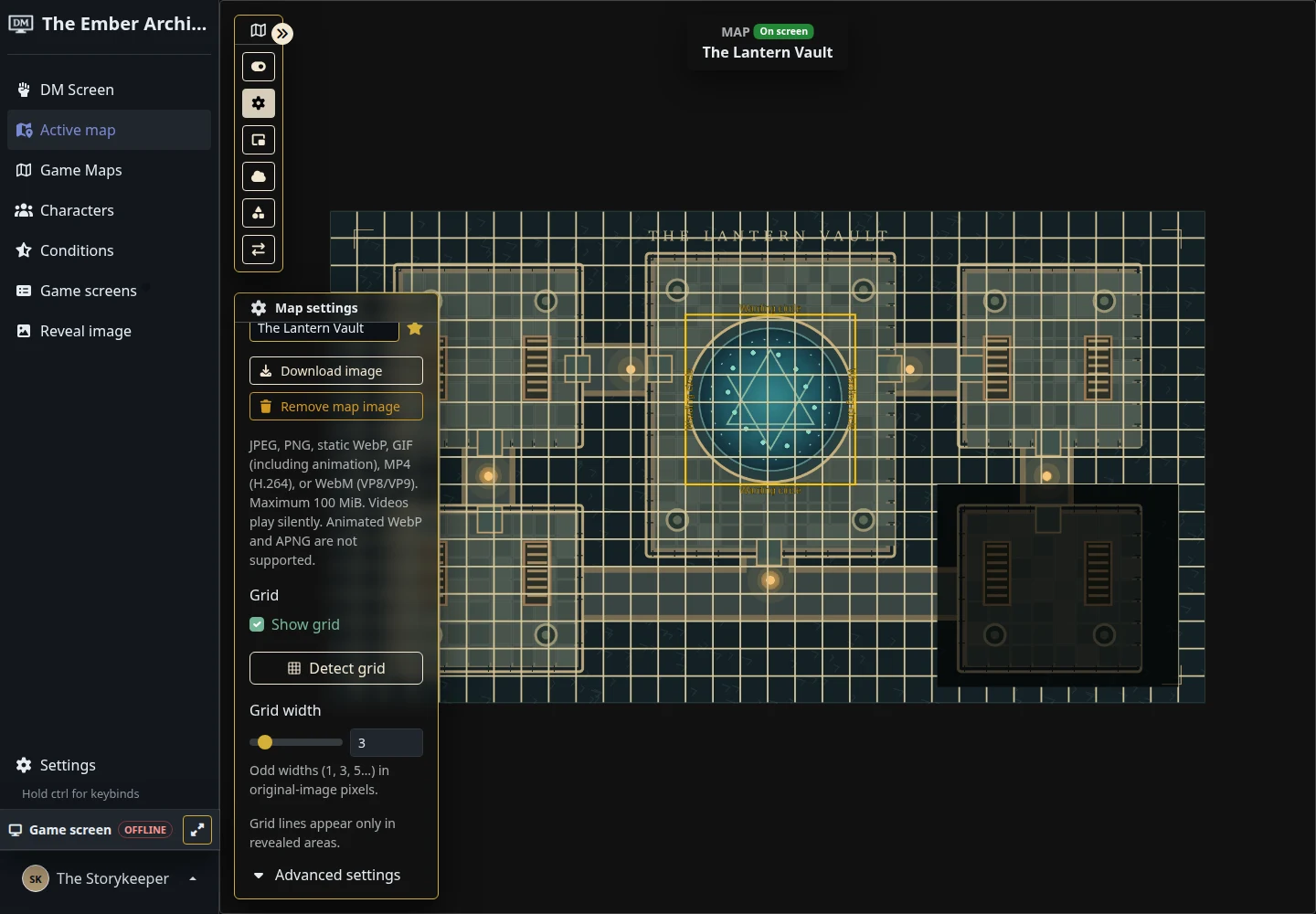
Open a saved map’s Map settings and turn on Show grid. Adjust Grid width to make the lines easier to see. Under Advanced settings, change the spacing, shift the grid horizontally or vertically, and choose a color that stands out against the artwork.
Start with the grid in your image
If your upload already has a square grid, select Detect grid. Detection runs in the background while you keep editing, and a successful result enables the overlay with the detected spacing and offsets. Check the alignment before play, especially if the result is marked approximate.
Detection supports JPEG, PNG, WebP, and GIF images, including large maps. It isn’t available for video uploads. If no reliable grid is found, your settings stay as they were. Changes you make to the image or grid while detection runs are preserved, too.
Saving map settings or detecting a grid now keeps your editor zoom and active toolbar in place. Grid controls appear after the map is created, so they won’t interrupt naming a new map.
Keep the encounter moving
Initiative sorting now works correctly after changes to the onscreen roster. On the player screen, the round animation finishes before the active character moves into the centre or is revealed. Map shapes also stay in place through canvas reloads and overlapping saves.
More help for your table display
The website now has an Articles section with six guides covering table-TV tools, map setup, and preparation for in-person games. Release stories live under Releases, and old blog links still lead to the matching posts.
To try the grid, open a map in your campaign and choose Map settings. The maps and fog guide covers the rest of your map setup.