
0.21.0: Richer fog of war and easier rank promotions
Richer fog of war, easier rank promotions, and small fixes that keep your session moving. Here is what arrived in dm-screen.com 0.21.0.
Release 0.21.0 adds dissolving fog reveals and lets you redeem fully discounted rank codes without a payment method. It also fixes lineup controls that can get in the way during an encounter.
This release also introduces the website: a place to see dm-screen.com in action and explore how its tools fit around your table.
Fog that feels part of the scene
Fog of war now has deeper shadows around revealed areas and map edges, with a subtle cloudy fringe along the edge of the map. Reveals dissolve into view, making the transition from hidden territory to open ground feel less abrupt.
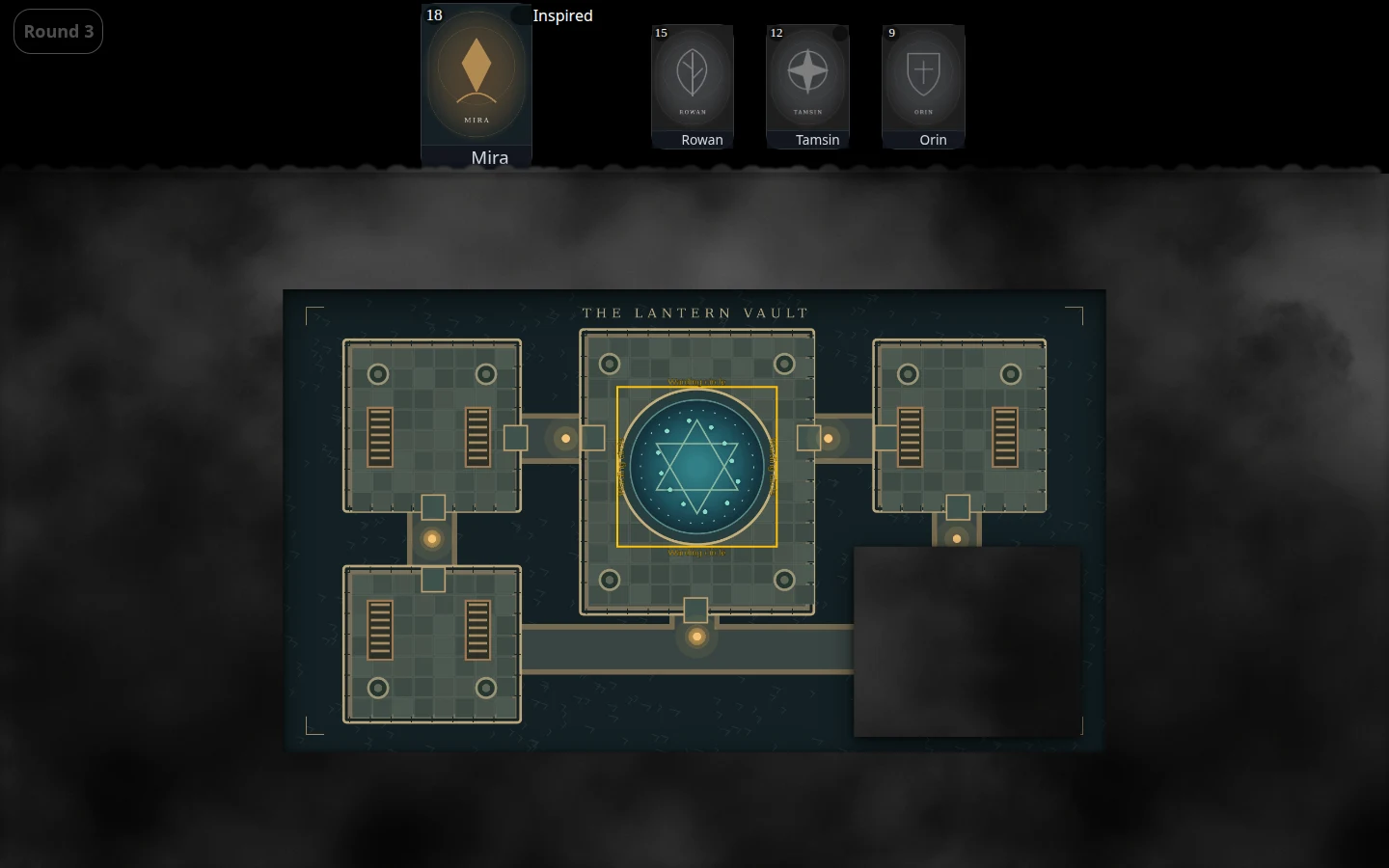
The reveal animations respect reduced-motion preferences, too. If you prefer less movement, the presentation follows that choice.
If you are putting together your first map, the maps and fog of war guide walks through the tools for controlling what your players see.
Less friction when managing the lineup
Removing a character from the onscreen character manager no longer makes that manager scroll. Newly added characters are briefly highlighted, helping you spot the addition before returning to the action.
The DM character tile footer controls for turns, visibility, and drag-and-drop ordering have also been restored. These are small fixes, but they matter when you are managing a crowded encounter.
For setup, the audio/video autoplay permission guide now stays open when the game screen refreshes automatically. You can finish reading the guidance without reopening it.
Redeem a fully discounted rank without a payment method
You can now redeem a promotion code that fully covers a rank subscription without supplying a payment method.
Subscriptions scheduled to end in Stripe also show when they will finish. Ordinary subscriptions remain manageable after cancellation is scheduled, while fixed-term promotions keep their intended limits. Inactive subscription endings are shown without suggesting that access is still available.
See both screens in action
The new dm-screen.com homepage brings the player display and DM controls together in four selectable recordings. Labelled monitor frames make it easier to follow what happens on each screen, and the feature guides let you explore individual tools in more detail.
The selected visible recording plays muted and moves through the demonstrations automatically, with pause controls and reduced-motion support. It is a quick way to get a feel for the two-screen setup before trying it at your own table.
Behind the scenes
This release also adds an admin-only storage overview covering campaign usage, generated derivatives, shared files, content types, and the largest files. It gives administrators a clearer view of storage; it is not a new player-facing storage dashboard or a change to campaign limits.
Finally, release notes now preserve Unicode text correctly, avoiding truncated duplicate version headings and missing text, and the dashboard navigation shows dm-screen.com beside the logo.
Try the updated fog at your next session, or take a look through the feature walkthroughs if you are still setting up. If something interrupts the flow at your table, tell us on Discord.