
0.20.0: Animated maps and easier condition editing
Animated map backgrounds, searchable condition selection, and movable game screen previews arrived in dm-screen.com 0.20.0.
Release 0.20.0 adds animated map backgrounds. Upload a GIF, MP4, or WebM through Map settings, and it loops silently in both the editor and player screen.
Change several conditions before saving
Character conditions get a searchable checkbox window. Selected conditions appear first, more load as you scroll, and additions and removals stay pending until you save. A warning helps prevent discarding changes by accident.
You can open it from character menus, the full character editor, or the condition controls on DM and player screens. Keyboard controls let you toggle search results with Enter and save with Ctrl+Enter.
The condition editor also gains a searchable character selector that preserves unsaved condition details while assignments are saved. A new campaign setting, enabled by default, lets players manage other visible characters’ conditions.
Put the preview where you need it
The game screen preview becomes draggable, remembers its position, and offers a full-screen toggle. Minimized previews dock above the sidebar user menu and keep their live or offline status visible. The floating preview is hidden when navigation switches to the hamburger menu below 1400 pixels.
Dashboard and campaign navigation now share a sidebar and mobile menu. Campaigns open on the DM or Player screen according to permissions, with Overview moved to Settings.
Finer map adjustments
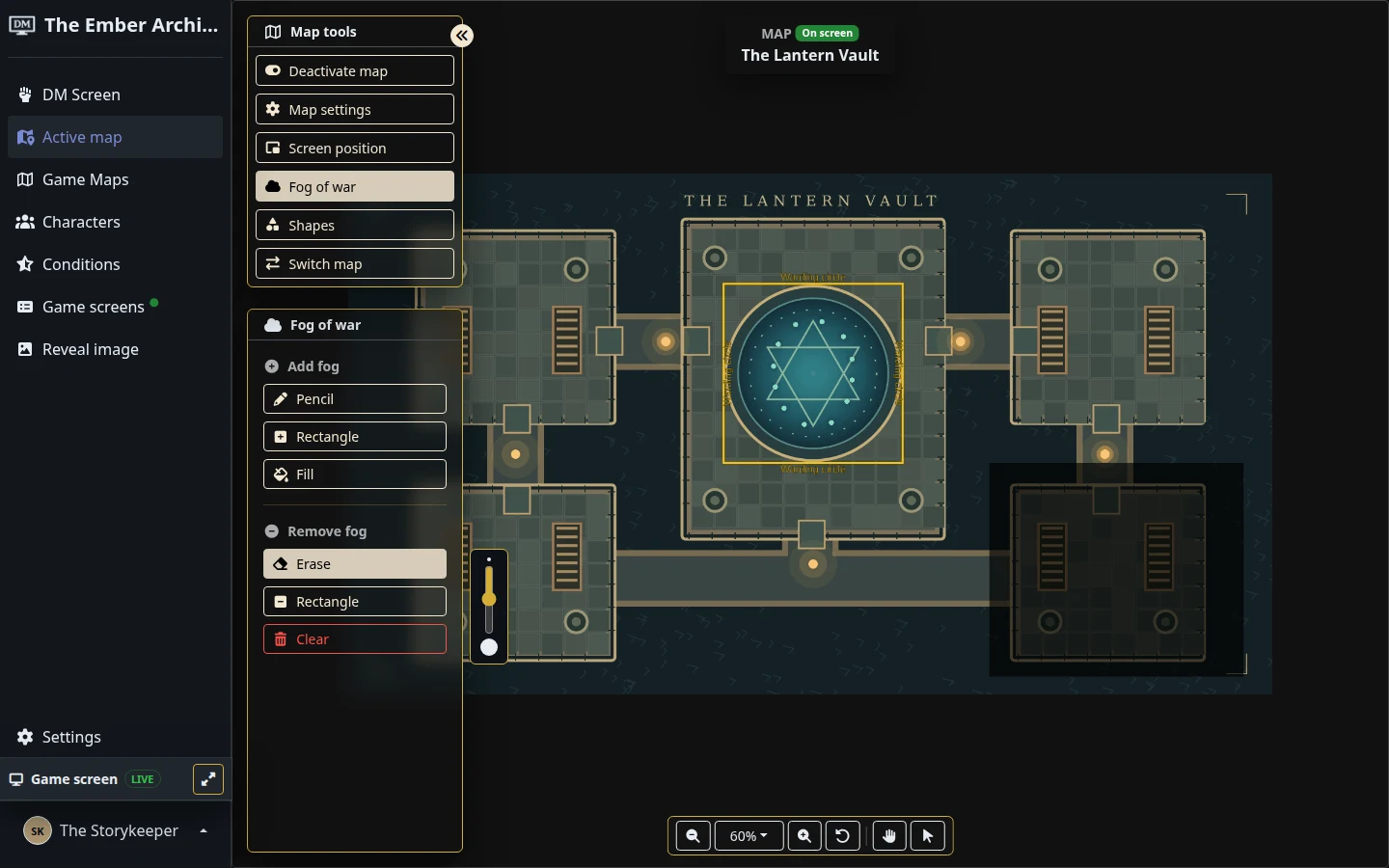
Map position controls use smaller scroll-wheel zoom steps, and Control-scroll zoom is smoother across the map tools. The fog Pencil and Erase tools share a size slider beside the active button. On-screen badges make the active map easier to identify.
Explore maps and fog of war for a closer look at preparing your next scene.