
0.15.0: A player workspace and 3D dice
A dedicated Player Screen, 3D dice, session readiness checks, and a staged character lineup arrived in dm-screen.com 0.15.0.
Release 0.15.0 gives campaign members a dedicated Player Screen for their characters and adds 3D dice rolls to the shared game screen.
Players can look after their characters
From the Player Screen, members can view and update claimed characters, including descriptions, initiative, passive perception, conditions, and avatars. Reveals and dice rolls are nearby, along with the visible characters currently onscreen.
An optional campaign setting also lets players create their own player characters and claim them automatically.
Prepare the lineup before showing it
The new onscreen character manager lets you add, remove, reorder, hide, or reveal several characters, then save those changes together. Warnings about unsaved changes help prevent an accidental departure or a hidden NPC appearing before you are ready.
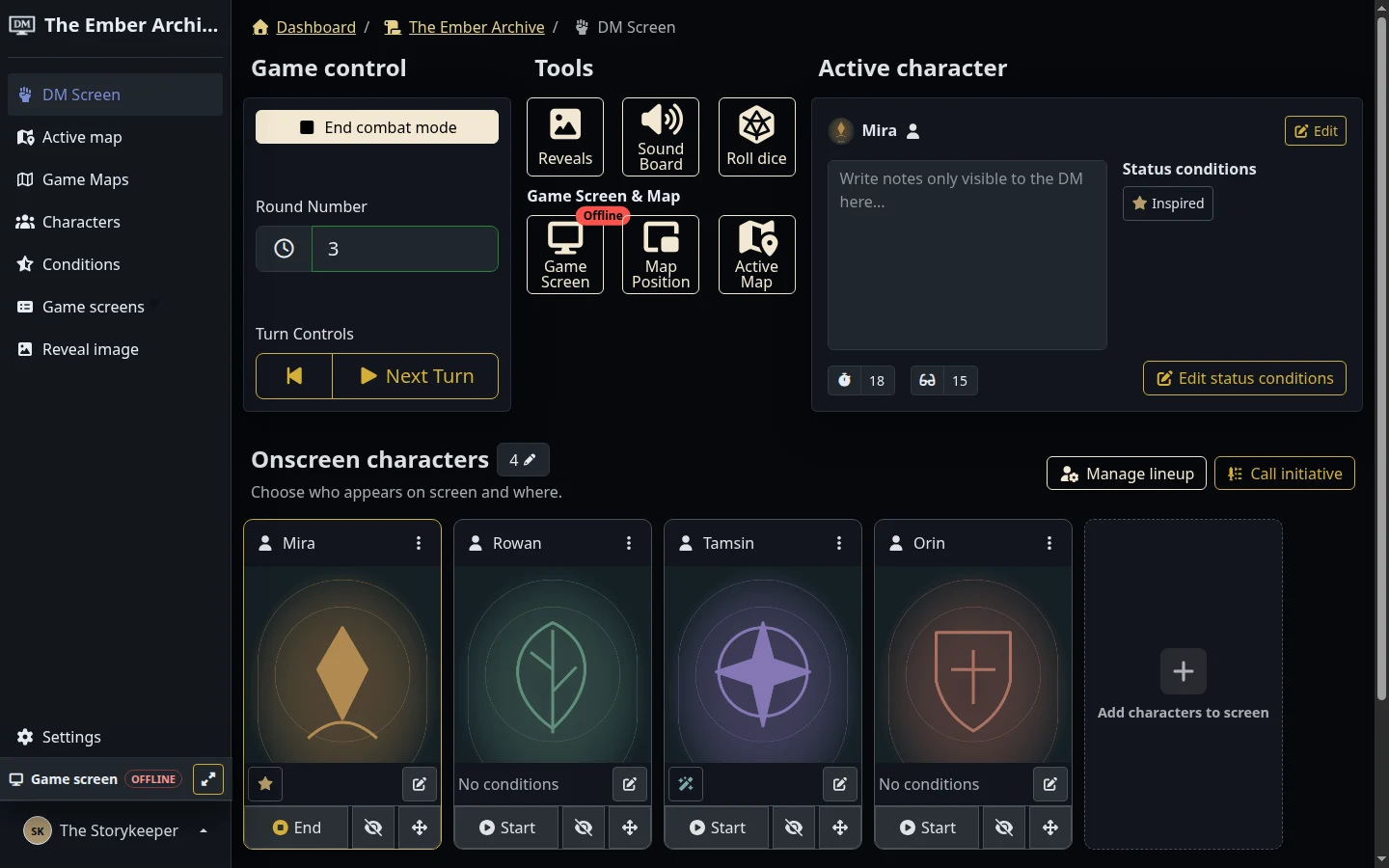
A dedicated initiative flow lets you enter initiative and optionally sort the lineup. The DM screen’s Tools panel puts roster management, initiative, reveals, dice, and map controls within reach, while a readiness checklist flags missing maps, characters, onscreen characters, and live game screens before combat.
Roll where the table can see
Campaign members can roll 3D dice using Roll20-style notation. Recent rolls are remembered, and the animation and result appear on the live game screen.
The map list gains search and clearer active-map controls, while character tiles bring common actions into a more consistent layout.
Explore dice and roll history for the current rolling tools.